
Map animation videos are everywhere now — geography channels flying from country to country, history videos tracing borders, travel Shorts that zoom into a city. They used to take hours of keyframing in desktop video software. Browser tools have changed that: with Mapflyover you describe the video or paste a script, and the tool builds the scenes, camera moves, narration and captions for you. This guide walks through making your first map animation video, start to finish.
What you need
- A web browser — everything runs online, nothing to install
- A free Mapflyover account (sign in with Google; no card needed)
- An idea or a short script for your video
Step 1: Create a project
Sign in at mapflyover.com and start a new project from the dashboard. The full editor is free to use: the Free plan includes 3 projects and unlimited previews, and it never expires. You only pay if you want more or sharper exports later.
Step 2: Add your script or describe the video
There are two ways in. You can paste a script and let it be split into scenes, or describe the video in plain words — for example, “fly from India to Pakistan and fill each country with its flag” — and let the built-in AI draft the scenes for you. Either way you end up with a list of scenes you can edit.
Step 3: Edit the scenes
Each scene has a place, a camera move and a duration. Open a scene to change the location, zoom, angle or timing, and drag scenes to reorder them. This is where the video takes shape: a slow push-in for the opening, a flight between two places, then a closer shot for the detail.
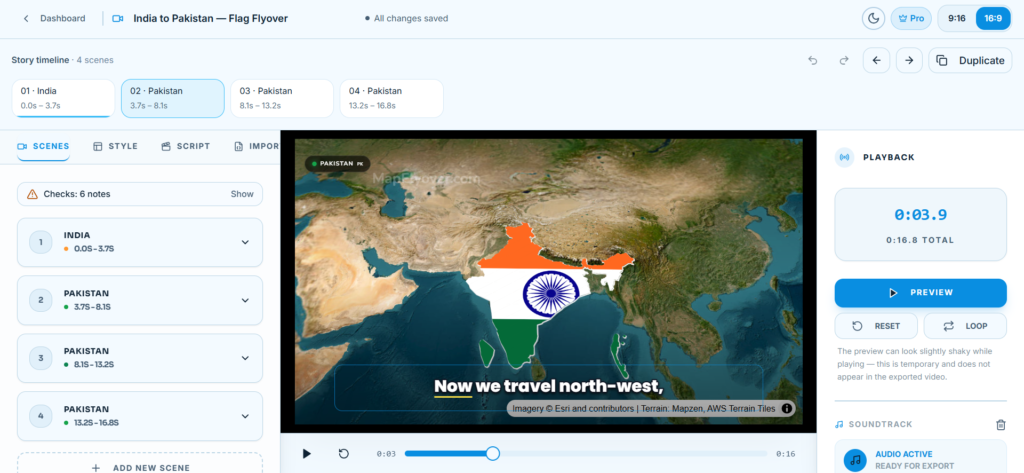
Step 4: Style the map
Add the elements viewers expect from map videos: country and region boundaries, colour fills — including filling a country with its flag — place labels, and stat or focus cards for key facts. Keep one idea per scene so the video stays easy to follow.
Step 5: Add narration and captions
Pick a narration voice and generate the voiceover — narration is free and needs no API key. Captions are timed from the narration automatically, including word-highlighted caption styles that suit Shorts and Reels. Read through the text once before exporting; fixing a word here is cheaper than re-exporting later.
Step 6: Preview, then export
Preview the whole video and check each scene’s framing. When it looks right, export: choose landscape 16:9 for YouTube or vertical 9:16 for Shorts, Reels and TikTok, then start the render. Exporting happens in your browser, so keep the tab open until it finishes, then download the MP4.
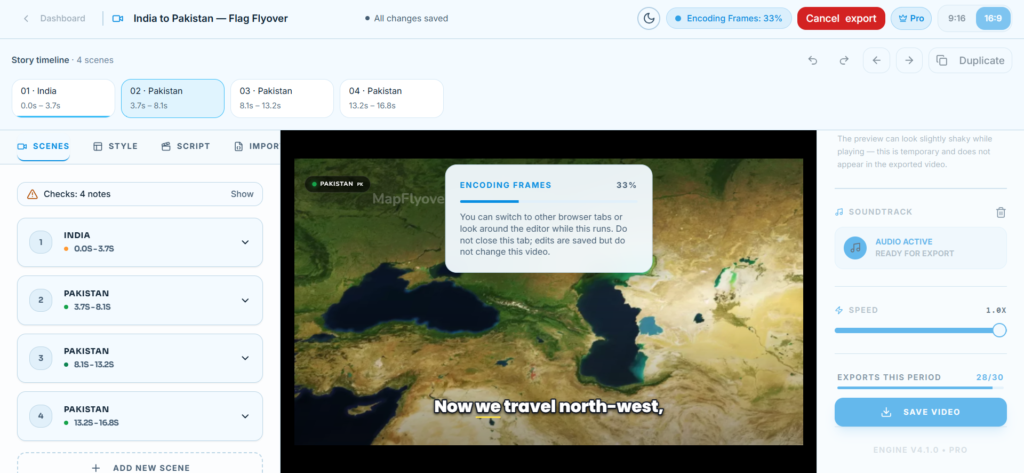
On the Free plan you can export 2 videos a month at 720p, up to 90 seconds each, with a small Mapflyover mark. If you plan to publish regularly, Mapflyover’s pricing page lays out Pro (USD 20 a month, 30 exports up to 1080p, no mark) and Studio (USD 70 a month, 300 exports up to 4K). If you take the exported MP4 into a desktop editor afterwards and hit trouble there, our guide to fixing CapCut not exporting covers the common causes.
Tips for a better first video
- Keep scenes short — two to five seconds each keeps the pace up
- Zoom in far enough that place labels are readable at phone size
- Test-export a short version first to check framing before a long render
- Make a separate vertical export for Shorts instead of cropping the wide one
Frequently asked questions
Is Mapflyover free? Building is free, including the editor, previews, narration and captions. The Free plan also includes 2 exports a month at 720p (up to 90 seconds, with the Mapflyover mark) and never expires.
What format does the video download as? MP4, in 16:9 landscape or 9:16 vertical. Free exports are 720p, Pro goes up to 1080p and Studio up to 4K.
Do I need video-editing experience? No. If you can write the script or describe the video, the tool builds the scenes; you adjust them in a visual editor.
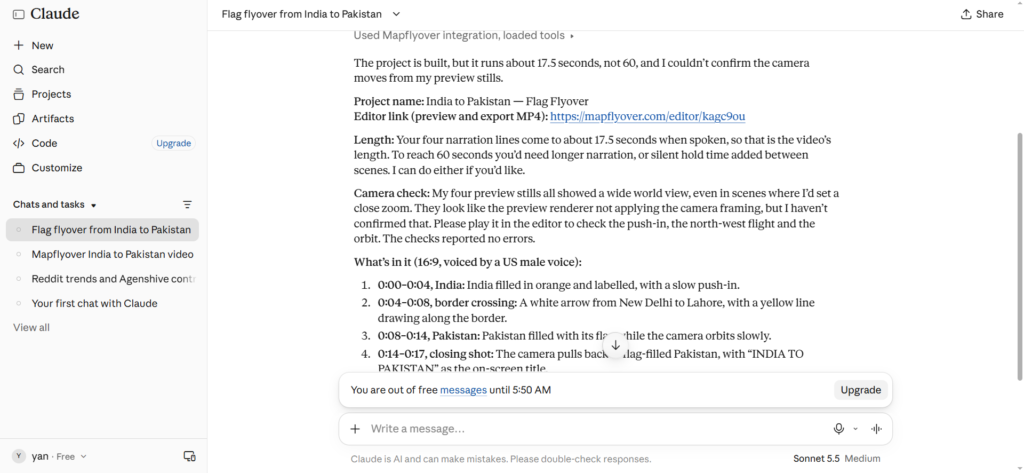
Can an AI agent make the video for me? Yes — Mapflyover connects to AI agents over MCP, so an assistant like Claude or ChatGPT can build the project from a prompt and hand you a preview link.
