

You updated your LinkedIn with your promotion — new title, same company — but it’s not showing up. Not in your feed, not in search, sometimes not even on your own profile. Here’s why it happens and how to fix it, step by step.
Quick Answer
In most cases, a LinkedIn promotion doesn’t show because of one of three things: (1) you edited your old job title instead of adding a new position entry, (2) your “share with network” setting was off when you saved it, or (3) LinkedIn’s systems need a few hours to propagate the change.
The #1 Mistake: Editing Instead of Adding
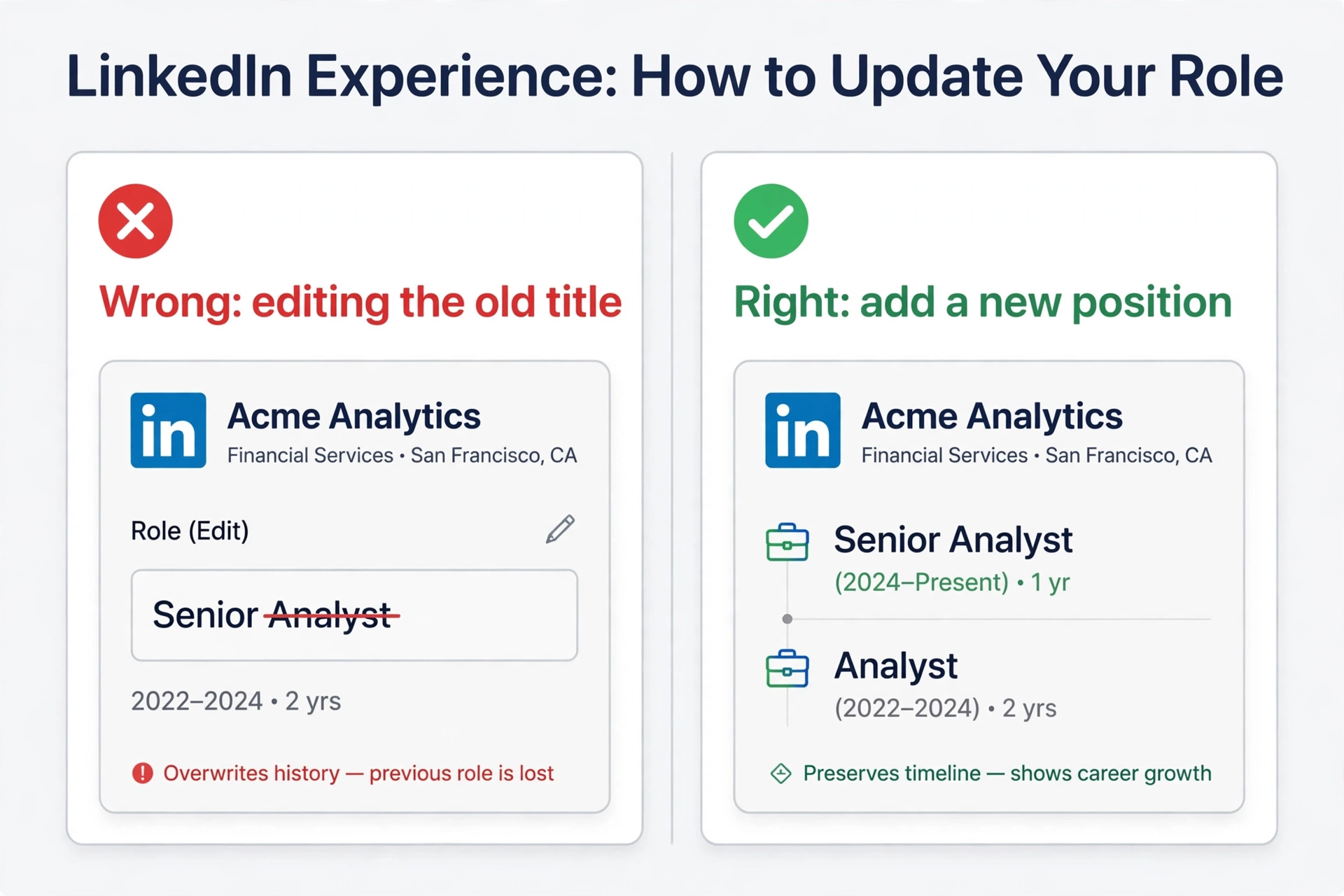
This is the cause in most cases. When promoted within the same company, LinkedIn expects a new position entry — not an edited job title.
Wrong way: opening your current role and changing “Analyst” to “Senior Analyst.” LinkedIn treats this as a minor edit, doesn’t generate a promotion story, and your network is never notified.
Right way:
- Go to your profile → Add profile section → Add position (or the + in Experience)
- Enter the same company name exactly as on your existing entry
- Enter your new job title and start date (month/year the promotion took effect)
- Leave end date blank, check “I currently work in this role”
- Set an end date on your OLD position (the month before the promotion)
- Save
Check Your Sharing Settings
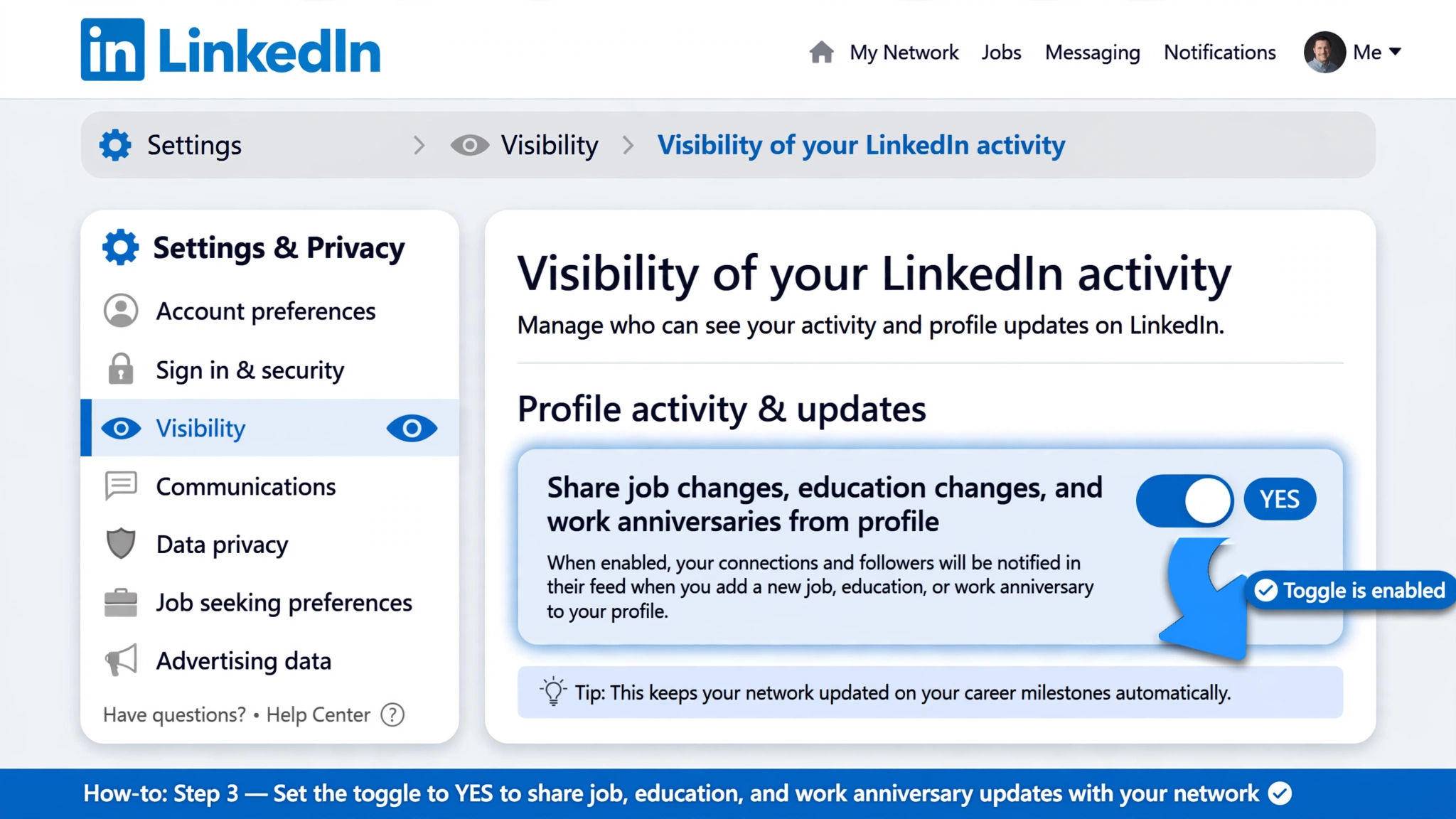
- Profile photo → Settings & Privacy → Visibility → Visibility of your LinkedIn activity
- Set “Share job changes, education changes, and work anniversaries from profile” to Yes
- Then make your promotion edit — the setting must be ON at the moment you save
Privacy tip: turn it back off right after the notification goes out. Future edits stay private.
Give It Time: LinkedIn’s Propagation Delay
- Your own profile: immediately to within an hour
- Network feed: within a few hours (if sharing was on)
- Search results: up to 24–48 hours
Verify What Others Actually See
- Open your public profile URL in an incognito window (logged out)
- Or ask a trusted connection to check
- Compare mobile app vs desktop — they can show different cached versions
Still Not Showing After 48 Hours?
- Delete and re-add the position from scratch (don’t edit), with sharing ON
- Clear browser cache or test in incognito
- Contact LinkedIn Help with: exact title, company, date of change, screenshots. Mention you already re-added the entry with sharing enabled.
After It’s Visible: Make It Count
- Post about it — 5–10x the visibility of the automatic notification
- Update your headline — headlines carry more search weight than experience entries
- Update your About section with new responsibilities
- Request a recommendation from your manager
FAQ
Should I edit my old job or add a new one?
Always add a new position entry. Editing the old title is the #1 reason promotions don’t show.
Why can I see it but my connections can’t?
Sharing was off when you saved, or the feed hasn’t propagated yet (wait a few hours).
How long until it shows in search?
Up to 24–48 hours. Profile page updates are near-instant.
Related guides:
