
You updated your LinkedIn profile — new job title, new skills, polished summary — but when a connection checks, or you look in an incognito window, the old version is still there. Here’s what’s actually happening and how to fix it, in order of likelihood.
Quick Diagnosis: What Are “Others” Actually Seeing?
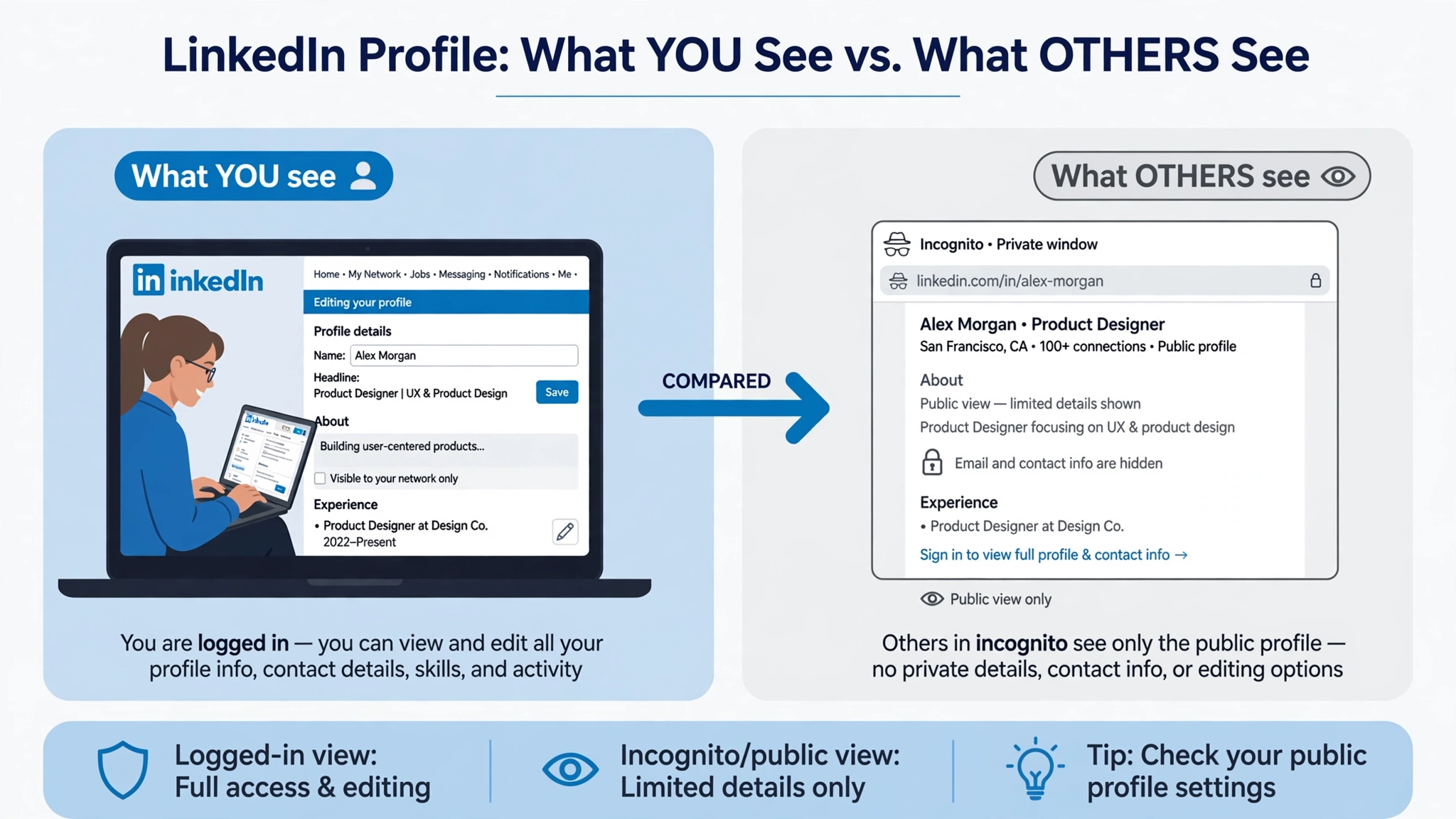
Before fixing anything, verify properly. Logged-in-you always sees the latest — so:
- Open an incognito/private window and view your public profile URL (linkedin.com/in/yourname).
- Ask a connection to screenshot what they see.
- Compare. If incognito shows the new version but your friend sees the old — it’s their cache. If incognito shows the old version — the problem is on your side.
Fix 1: Confirm the edit actually saved
LinkedIn’s editor has per-section save buttons — it’s easy to close a section without saving, especially About and experience entries. Reopen each edited section, confirm the text is there, and watch for the “Saved” confirmation. A dropped connection mid-edit can mean the change never reached LinkedIn’s servers.
Fix 2: Wait out LinkedIn’s refresh delay
- Logged-in viewers: minutes to a few hours.
- Public/logged-out view: 24–48 hours.
- Google results: days to weeks — Google caches on its own schedule.
Edit less than 48 hours old and logged-in viewers see it? Nothing is broken — wait.
Fix 3: Check your visibility settings
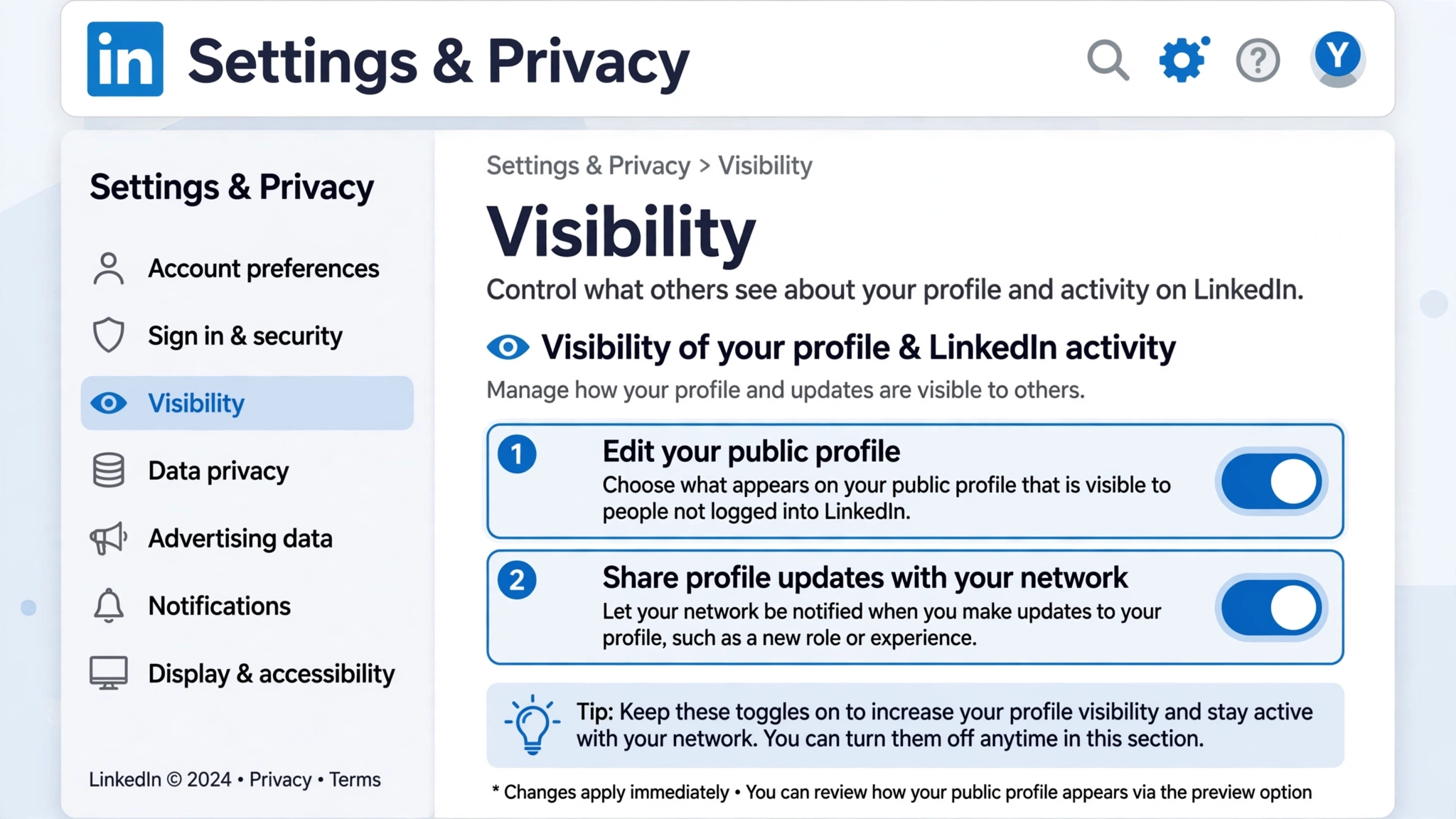
Go to Settings & Privacy → Visibility:
- “Edit your public profile”: controls what logged-out visitors see. Turned-off sections show old/hidden to the public and Google.
- “Share profile updates with your network”: if off, your network isn’t notified of changes — the change is visible, just not announced.
Fix 4: Rule out caching
- Hard refresh (Ctrl+Shift+R / Cmd+Shift+R).
- Clear app cache: phone Settings → Apps → LinkedIn → Storage → Clear cache (Android) or offload/reinstall (iPhone).
- Log out and back in for a fresh session.
- Different browser/device — new version elsewhere means local cache.
Fix 5: The Google problem
If LinkedIn shows your updates but Google shows the old headline: that’s Google’s cache, on Google’s crawl schedule. A complete, keyword-rich public profile gets recrawled faster. Re-editing to “trigger” Google doesn’t work.
When to worry
- Over 48 hours and logged-in connections still see old → re-save the section, then contact LinkedIn Support.
- Specific sections never update → remove and re-add the entry.
- Whole profile reverted → check you’re logged into the correct account.
FAQ
How long do profile changes take to show?
Minutes–hours for logged-in viewers; 24–48h public view; days–weeks for Google.
I see my update but others can’t?
Usually caching or propagation delay — verify with incognito first.
Will my network be notified?
Only if “Share profile updates with your network” is on — and LinkedIn still notifies selectively.
Can I preview as others see it?
LinkedIn removed “View as”. Use incognito on your public profile URL.
Related guides:
