

You posted a job on LinkedIn — or announced your new role — and it’s not showing up. Before you repost it (don’t), run through this guide. Most cases come down to draft status, visibility settings, LinkedIn’s review queue, or a simple display glitch.
First: Which “Job Post” Do You Mean?
| Situation | Go to |
|---|---|
| A job listing you created as a recruiter/employer isn’t appearing in search or on your company page | Job listing fixes below |
| Your “started a new position” announcement post isn’t showing in feeds | Announcement post fixes below |
Job Listing Not Showing
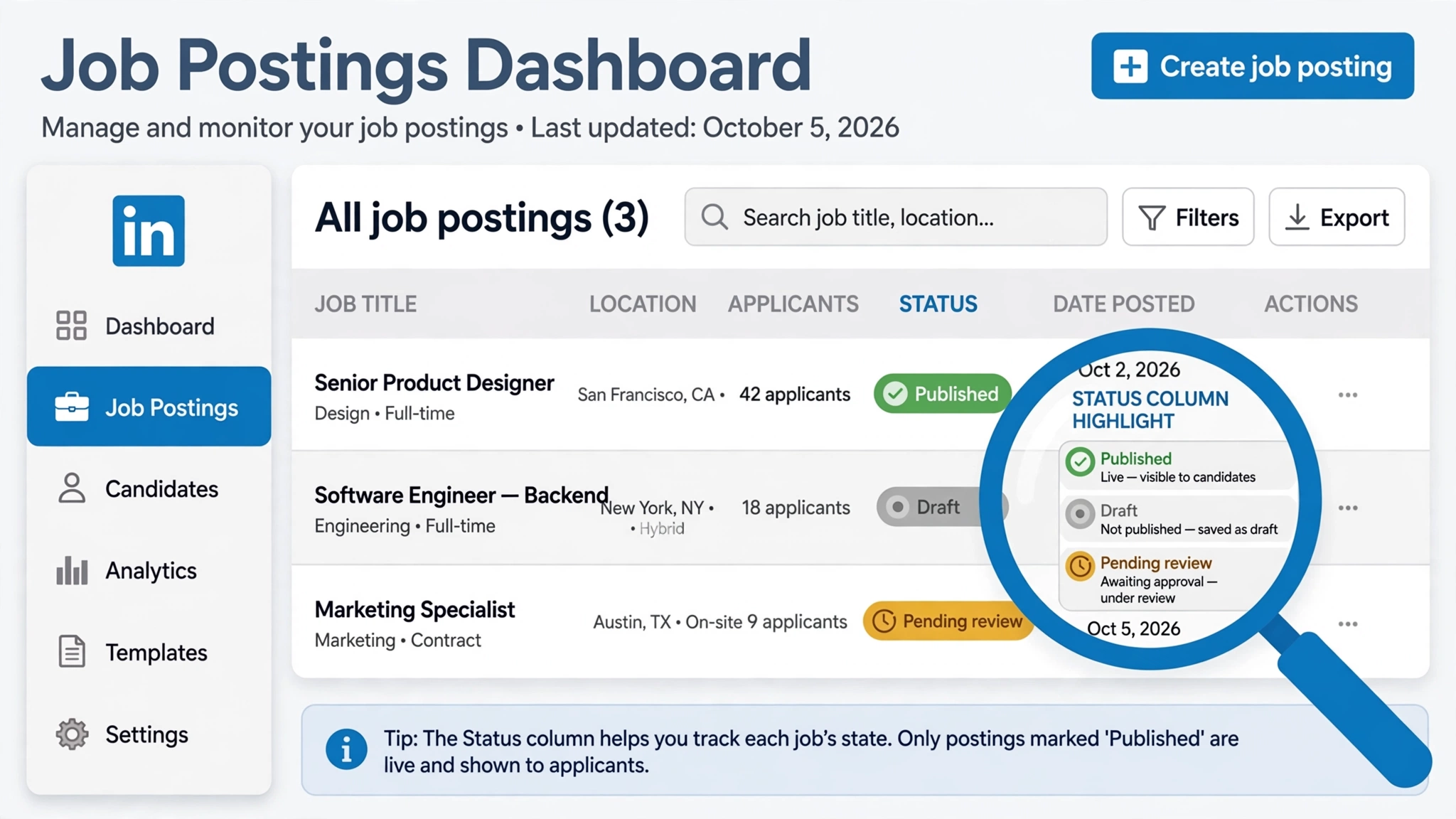
Fix 1: Check the actual post status
Company page → Jobs (or Recruiter → Job postings). The most common surprise: the post is in Draft — you hit Save instead of Publish. Other statuses: Pending review (LinkedIn checking it — wait), Expired/Closed (free posts expire — repost), Rejected (policy issue — check email).
Fix 2: Wait 15–30 minutes after publishing
LinkedIn’s search index doesn’t update instantly. Search the exact job title in LinkedIn Jobs before assuming it’s broken.
Fix 3: Pass LinkedIn’s content review
- Missing required fields (title, location, employment type, description) block publishing.
- Prohibited content: misleading titles, discriminatory requirements, disguised ads get flagged.
- Brand-new company pages (no followers/logo/activity) get extra scrutiny — complete the page first.
Stuck in review over 24 hours? Edit and resave — this re-triggers the queue.
Fix 4: Check visibility and targeting
- Visibility set to Public, not connections-only.
- Targeting filters too narrow? Broaden location/industry/seniority.
- Attached to the correct company page, not your personal profile.
Fix 5: Billing and account health (paid posts)
Check Settings → Billing for declined cards or unpaid invoices — LinkedIn pauses distribution silently. Check inbox for policy violation notices.
New-Role Announcement Post Not Showing
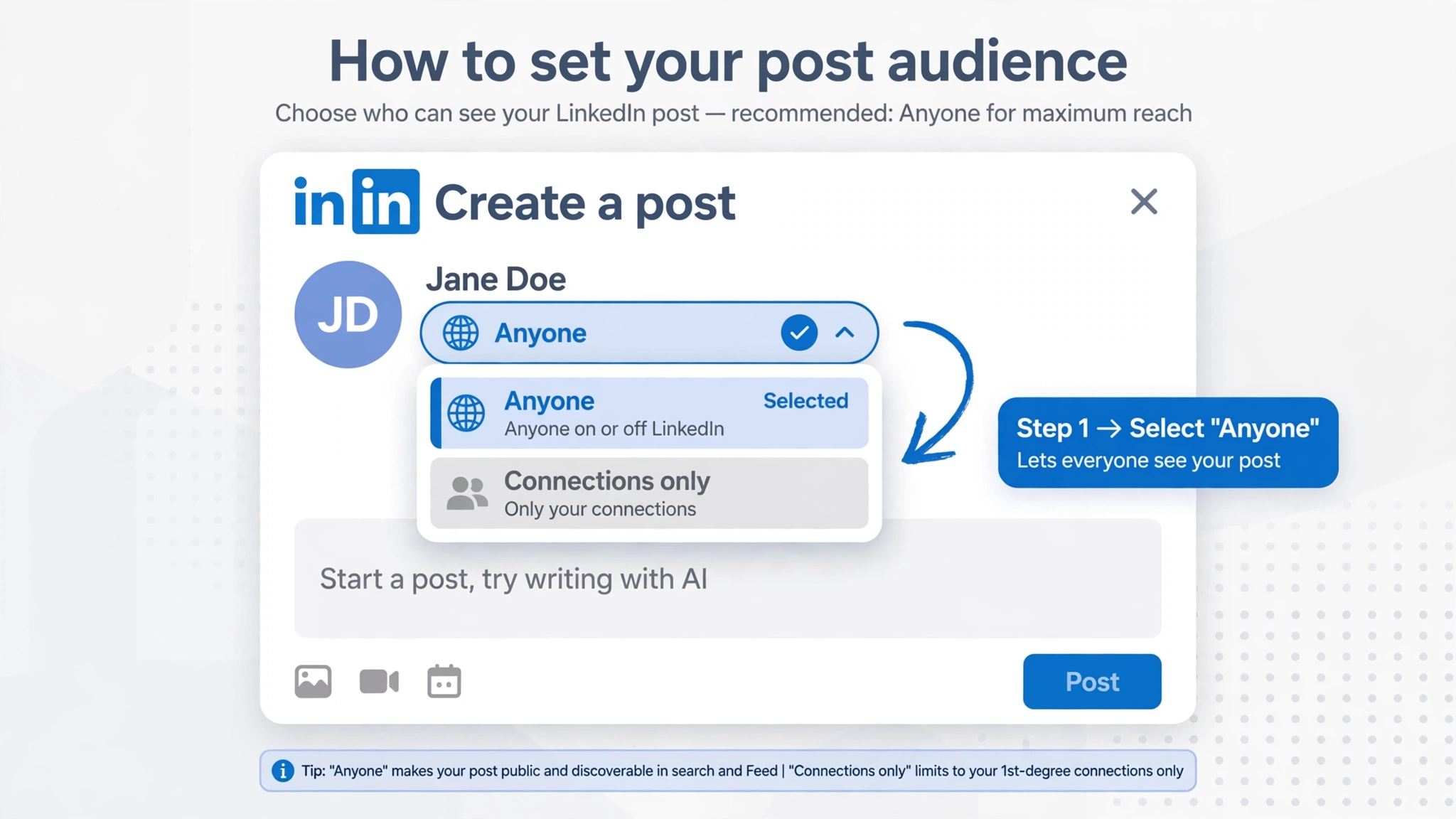
- Check it posted: profile → Activity → Posts. If it’s there, it’s a distribution issue, not publishing.
- Audience selector: must say “Anyone” (globe icon), not “Connections only.”
- Early engagement matters: LinkedIn tests new posts on a small audience. Ask 2–3 colleagues to engage in the first hour.
- Don’t repost. Edit the original — reposting splits engagement and looks spammy.
- Timing: Tue–Thu, 8–10am in your audience’s timezone, performs best.
Quick Display Checks (both cases)
- Hard refresh (Ctrl+Shift+R / Cmd+Shift+R)
- Incognito window to rule out extensions
- Different device to isolate browser issues
- Update the app
FAQ
How long until a new job post appears?
15–30 minutes for search indexing; review holds can add 24 hours.
Why stuck in “Pending review”?
Automated compliance check. Edit and resave to re-trigger if over 24 hours.
Zero views after 24 hours?
It’s not actually published or visible — recheck Fix 1 and Fix 4.
Delete and repost my announcement?
No — edit the original. Deleting trains the algorithm to distrust your content.
Related guides:
